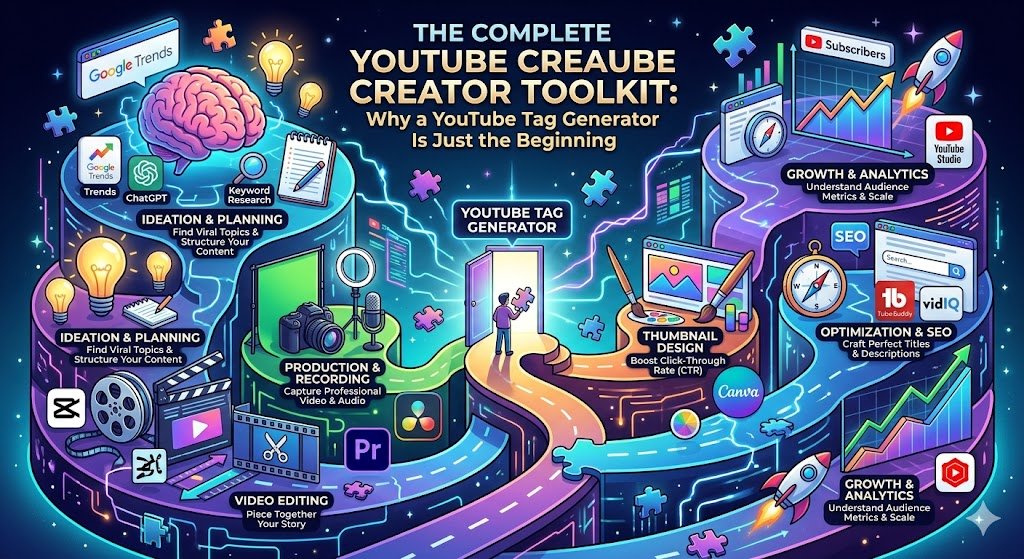
The Complete YouTube Creator Toolkit: Why a YouTube Tag Generator Is Just the Beginning
If you’re a YouTube creator, you’ve probably spent hours juggling multiple tabs—one for keyword ideas, another for writing descriptions, a third for grabbing thumbnails, and yet another for checking word count. It’s exhausting. And in the middle of that chaos, you might be using a YouTube Tag Generator as a standalone tool, missing the bigger picture.
What if you could handle every step of video optimization—from title to tags to description to thumbnail—in one place, for free? That’s exactly what we’ve built at ToolsThatUse.Online. In this post, I’ll show you how to combine our YouTube Tag Generator with our other creator tools to build a seamless, high‑efficiency workflow. You’ll learn why a YouTube Tag Generator is only the first piece of the puzzle and how integrating it with complementary tools can double your productivity and boost your video’s performance.
Why a Standalone YouTube Tag Generator Isn’t Enough
Let’s be clear: a YouTube Tag Generator is essential. It saves time, uncovers keywords you might never think of, and helps the algorithm understand your content. But tags alone won’t carry your video to the top of search results. YouTube’s ranking system looks at a constellation of factors:
- Title – the first thing viewers see and a primary ranking signal.
- Description – where you can expand on keywords and provide context.
- Thumbnail – the visual hook that drives click‑through rate.
- Transcript & captions – which reinforce your topic.
- Engagement metrics – watch time, likes, comments.
A YouTube Tag Generator gives you the raw keywords, but you still need to weave them into a compelling title, an informative description, and a thumbnail that demands attention. That’s where a complete toolkit comes in.
Meet the All‑in‑One YouTube Creator Suite
At ToolsThatUse.Online, we’ve curated a set of free utilities that work together perfectly. You can start with one tool, then move seamlessly to the next without ever leaving our site. Here’s the full lineup:
- Blog Title Generator → Catchy, SEO‑optimized titles.
- YouTube Tag Generator → Smart keyword suggestions from your title.
- YT Description Generator → Professional, structured descriptions.
- Thumbnail Extractor → Instantly grab thumbnails from any YouTube URL.
- Word Counter → Analyze keyword density and content length.
- SERP Preview → See how your title and description appear in Google.
- Hashtag Generator & Caption Generator → For cross‑promotion on social media.
- QR Code Generator → Share your channel or video with a single scan.
In this guide, we’ll walk through a typical video creation workflow, showing how each tool—especially the YouTube Tag Generator—fits into the bigger picture.
Step 1: Start with a Strong Title (Blog Title Generator)
Your video title is your first and most important SEO asset. It’s what appears in search results, suggested videos, and the user’s browser tab. Before you even touch the YouTube Tag Generator, you need a title that balances curiosity, clarity, and keywords.
Our Blog Title Generator is designed to spark ideas. Enter a topic—say, “how to edit videos in Premiere Pro”—and it will give you a list of catchy, clickable titles. You can then choose the one that best matches your video’s angle.
Why this matters for tags: Once you have a strong title, you feed that exact title (or a simplified version) into the YouTube Tag Generator. The tags it generates will be directly aligned with your title, creating a tight SEO loop that YouTube loves.
Step 2: Generate Targeted Tags with the YouTube Tag Generator
Now it’s time for the star of our suite. Our YouTube Tag Generator takes your title or topic and produces a curated list of relevant tags. Unlike some tools that simply scrape random keywords, our YouTube Tag Generator uses semantic analysis to understand the core concepts behind your content.
How to use it effectively:
- Paste your final title into the YouTube Tag Generator.
- Review the suggestions. Look for a mix of broad terms (e.g., “video editing”) and long‑tail phrases (e.g., “how to edit videos in premiere pro for beginners”).
- Copy the list and paste it into the “Tags” field in YouTube Studio.
But don’t stop there. A YouTube Tag Generator works best when its output informs your description and script. Take the top 3–5 tags and ensure they appear naturally in your video’s spoken content and description text.
Step 3: Write a Description That Converts (YT Description Generator)
Your description is prime real estate for SEO and viewer engagement. A good description does three things:
- Summarizes the video in the first 150 characters (the part shown in search results).
- Includes timestamps, links, and a call to action.
- Naturally integrates keywords from your YouTube Tag Generator.
Our YT Description Generator simplifies this process. You provide a few details about your video, and it builds a professional, well‑structured description template. You can then tweak it to add the exact tags from your YouTube Tag Generator into the first paragraph.
Pro tip: Paste your list of tags from the YouTube Tag Generator into the description (in a natural way, not as a block of keywords). This reinforces the relevance of those terms and can help with ranking.
Step 4: Create an Eye‑Catching Thumbnail (Thumbnail Extractor)
Your thumbnail is the visual gateway to your video. Even if your YouTube Tag Generator gives you perfect keywords, a bland thumbnail will kill your click‑through rate.
Our Thumbnail Extractor is a handy tool that lets you grab high‑quality thumbnails from any YouTube URL. Why would you need that? For inspiration. Find a successful video in your niche, use the extractor to download its thumbnail, and study what makes it effective—colors, text overlay, composition. Then, apply those lessons to your own design.
While the YouTube Tag Generator handles metadata, the Thumbnail Extractor helps you nail the visual side. Together, they ensure your video ranks well and gets clicked.
Step 5: Refine Your Script with the Word Counter
Before you hit record—or after you’ve transcribed—use the Word Counter to analyze your script or captions. Paste your text into the tool, and it will show you total words, characters, and keyword density.
This is where you can cross‑reference with your YouTube Tag Generator output. Are the key phrases appearing enough times? If your main tag is “beginner photography tips,” does your script mention that phrase naturally a few times? The Word Counter helps you maintain a healthy keyword density without stuffing.
Step 6: Preview Your Search Appearance (SERP Preview)
Once your title, description, and tags are set, it’s smart to see how your listing will look on Google or YouTube search results. Our SERP Preview tool simulates the search result appearance. You can enter your title, meta description, and URL to see exactly how it will be displayed.
This step is often overlooked, but it’s critical. A YouTube Tag Generator ensures you have the right keywords, but the SERP Preview ensures your title and description are formatted to maximize clicks. If the preview looks cluttered or uninviting, you can tweak your text before publishing.
Step 7: Amplify with Social Media Tools (Hashtag Generator & Caption Generator)
Your work doesn’t end when the video is live. Promoting your video on Instagram, TikTok, or Twitter can drive early traffic, signaling to YouTube that your content is popular.
Our Hashtag Generator and Caption Generator are designed to help you create engaging social posts. The Hashtag Generator gives you 30 relevant hashtags for platforms like Instagram and TikTok. The Caption Generator provides catchy caption templates that you can customize.
Again, you can align these with the keywords from your YouTube Tag Generator. Consistent messaging across platforms reinforces your topic and helps with brand recognition.
Step 8: Make Sharing Easy (QR Code Generator)
Finally, if you’re attending events, printing business cards, or creating physical merchandise, our QR Code Generator turns your channel URL into a scannable code. It’s a small but powerful way to drive offline traffic to your YouTube content.
While the QR Code Generator isn’t directly linked to the YouTube Tag Generator, it’s part of our philosophy: giving creators everything they need to succeed, from SEO to promotion.
How the YouTube Tag Generator Ties It All Together
You might have noticed that the YouTube Tag Generator appears throughout this workflow. That’s intentional. Tags are the connective tissue between your title, description, and content. When you use a YouTube Tag Generator to build a focused keyword list, you can then:
- Ensure those keywords appear in the title (often automatically, if you feed the title into the YouTube Tag Generator).
- Weave them into the description, using the Description Generator as a framework.
- Check keyword density in your script with the Word Counter.
- Use similar phrases in your social media captions via the Caption Generator.
This integrated approach turns a simple YouTube Tag Generator into the cornerstone of a complete SEO strategy.
Real‑World Example: Putting the Toolkit into Action
Let’s walk through a hypothetical scenario using all our tools.
- Topic: You want to make a video about “homemade sourdough bread for beginners.”
- Blog Title Generator: You input “sourdough bread” and get a list of titles. You pick “The Ultimate Guide to Homemade Sourdough Bread for Beginners.”
- YouTube Tag Generator: You paste that title into the tool. It returns tags like “homemade sourdough bread,” “sourdough for beginners,” “easy sourdough recipe,” “how to make sourdough starter,” etc.
- YT Description Generator: You fill in the details; the tool creates a description with placeholders. You manually add the top 3 tags from the YouTube Tag Generator into the first sentence.
- Thumbnail Extractor: You find a popular sourdough video, extract its thumbnail for inspiration, then create your own with a similar style.
- Word Counter: You paste your script; you see that “sourdough starter” appears only once, so you add another mention to align with your tags.
- SERP Preview: You check how your title and description will look; you adjust the description to include emojis for better visibility.
- Hashtag Generator: You generate 30 hashtags for Instagram and pick the 10 most relevant to pair with your video promo.
- QR Code Generator: You create a QR code for your channel link and add it to a business card you’ll hand out at a farmers’ market.
All of this is done using free tools, with the YouTube Tag Generator providing the keyword foundation. The result? A thoroughly optimized video that’s more likely to rank, attract clicks, and retain viewers.
Why an Integrated Toolkit Beats Standalone Solutions
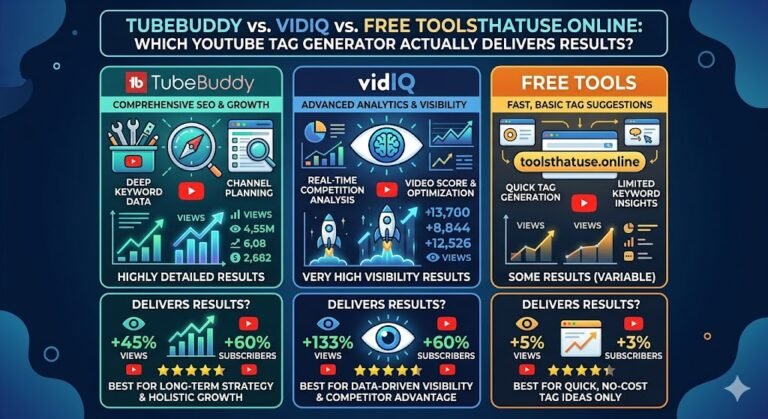
There are dozens of YouTube Tag Generator tools out there, but most are siloed. You generate tags, then you have to switch to another site for descriptions, another for thumbnails, and another for word count. This disjointed process leads to:
- Inconsistency: Tags don’t match the description or title.
- Wasted time: Constantly logging into different platforms.
- Missed opportunities: Forgetting to optimize one element because you’re juggling too many tabs.
By using a unified suite where the YouTube Tag Generator is complemented by title, description, and thumbnail tools, you ensure every piece of metadata is aligned. And because everything is free and ad‑supported (no sign‑up required), you can focus entirely on your content.
Conclusion: Start Building Your Complete Creator Toolkit Today
A YouTube Tag Generator is a powerful tool—but it’s even more powerful when it’s part of a comprehensive system. At ToolsThatUse.Online, we’ve built that system for you. From the initial title idea to the final QR code, our free tools are designed to work together, saving you time and improving your video’s performance.
You don’t need to spend hundreds of dollars on premium software. With our YouTube Tag Generator, Title Generator, Description Generator, Thumbnail Extractor, Word Counter, and more, you have everything you need to optimize your channel like a pro.
Ready to streamline your YouTube workflow? Start with our YouTube Tag Generator, then explore the other tools in our suite. Your audience—and the algorithm—will thank you.
One Comment